AI Video Enhancement, Zero Subscriptions
Upscale, denoise, stabilize, and enhance your videos in batch. GPU-accelerated desktop alternative to Topaz Video AI. One-time purchase — no $399/year subscription.
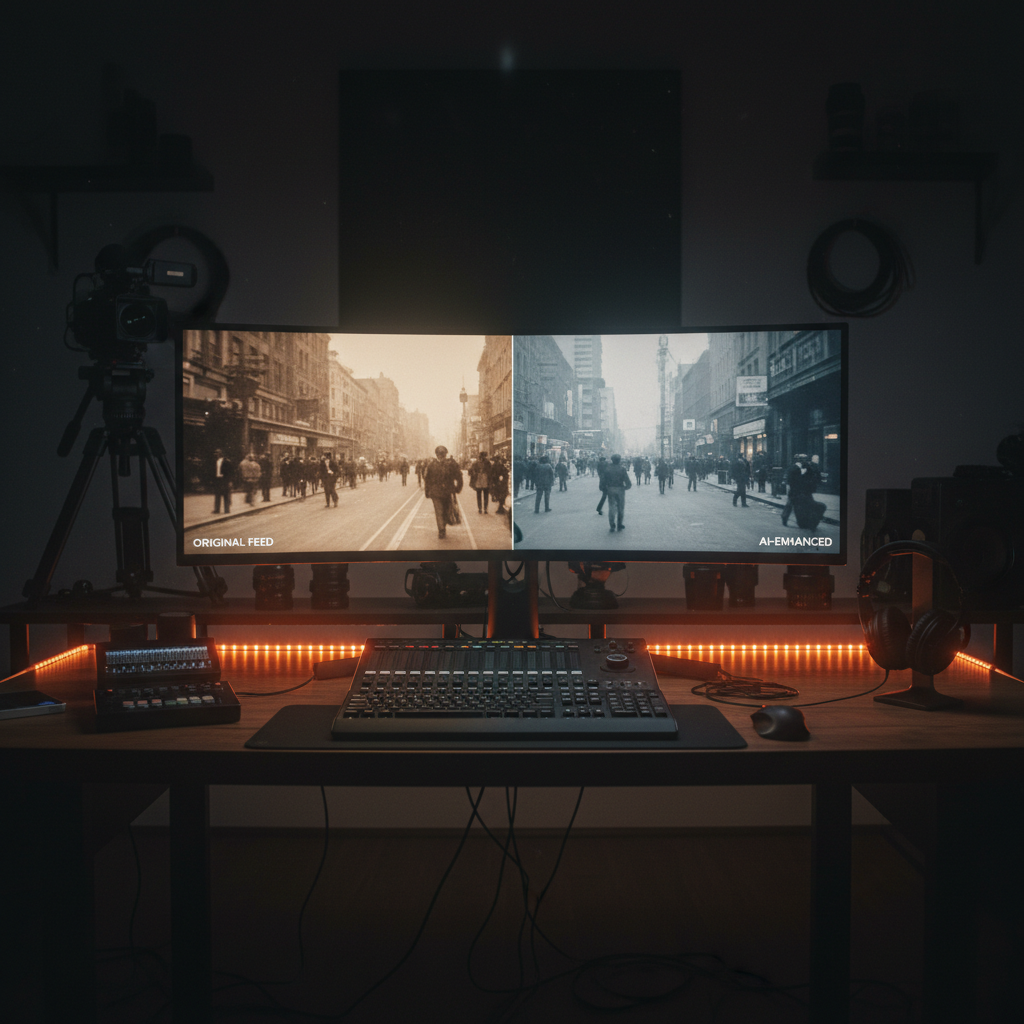
All the Formats You Need
Enhance MP4, MKV, AVI, MOV, WebM, WMV, FLV, M4V, and 20+ more video formats. Output in H.264, H.265, AV1, or VP9 with GPU-accelerated encoding.
AI-Powered Video Enhancement
Professional video enhancement powered by state-of-the-art AI models. All running locally on your GPU — no cloud, no credits, no limits.
AI Upscaling (2x–4x)
Upscale 720p to 4K or 1080p to 8K while preserving sharpness and detail. Powered by Real-ESRGAN video models optimized for real-world footage, animation, and archival content.
AI Noise Reduction
Remove grain, noise, and compression artifacts from video. Ideal for old home videos, high-ISO footage, surveillance recordings, and heavily compressed files. AI preserves edges and motion detail.
AI Frame Interpolation
Convert 24fps to 60fps or 120fps with AI-generated intermediate frames. Powered by RIFE for smooth slow-motion and silky playback. No motion blur or ghosting artifacts.
AI Stabilization
Remove camera shake and jitter from handheld footage, action cameras, and drone video. AI-powered stabilization with minimal crop loss. Process entire folders of shaky clips in batch.
Batch Processing
Enhance hundreds of video files in a single batch. Combine multiple AI operations — upscale, then denoise, then interpolate — in a single pipeline. Multi-file queue with progress tracking.
GPU Acceleration
Leverage your NVIDIA or AMD GPU for dramatically faster AI video processing. NVENC and AMF hardware encoding for fast output. Falls back to CPU automatically if no compatible GPU is detected.
Built-In Workflows for Every Use Case
Pre-configured AI pipelines tuned for specific video types and industries.
Old Video Restoration
Restore VHS tapes, Hi8, MiniDV, and old home videos. AI denoising removes analog noise, upscaling sharpens soft footage, and frame interpolation smooths jerky playback.
Surveillance Enhancement
Enhance low-resolution security camera footage. AI upscaling reveals detail in faces, license plates, and objects. Denoise night-vision and low-light recordings.
Content Creation
Upscale and enhance YouTube, TikTok, and social media videos. Convert 1080p to 4K for professional quality. Remove compression artifacts from re-encoded content.
Drone & Action Camera
Stabilize shaky drone footage and GoPro clips. Denoise high-ISO low-light shots. Upscale to 4K for cinematic quality from compact cameras.
Animation & Anime
Upscale anime and animated content with models specifically trained for drawn artwork. Clean line art, preserve flat colors, and eliminate compression banding.
Video Archival
Prepare video archives for long-term storage. Upscale, denoise, and re-encode to modern codecs (H.265, AV1) for maximum quality at minimal file size.
How AI Video Enhancer Studio Compares
See how we stack up against Topaz Video AI, HitPaw, and AVCLabs.
| Feature | Topaz Video AI ($399/yr) | HitPaw ($350 lifetime) | AVCLabs ($300 lifetime) | AI Video Enhancer |
|---|---|---|---|---|
| Upscaling (2x–4x) | ✔ | ✔ | ✔ | ✔ |
| Noise reduction | ✔ | Limited | Limited | ✔ |
| Frame interpolation | ✔ | ✘ | ✔ | ✔ |
| Stabilization | ✔ | ✘ | ✘ | ✔ |
| Batch processing | Limited | ✔ | ✔ | ✔ |
| HW encoding (NVENC) | ✘ | ✘ | ✘ | ✔ |
| Fully offline | ✔ | ✔ | ✔ | ✔ |
| GPU acceleration | ✔ | ✔ | ✔ | ✔ |
| Cost | $399/yr | $350 | $300 | One-time |
How It Works
Add Your Videos
Drop video files or entire folders. AI Video Enhancer Studio reads MP4, MKV, AVI, MOV, WebM, and 20+ more formats.
Choose Enhancement
Select upscaling, denoising, frame interpolation, stabilization, or combine multiple AI actions. Choose a preset workflow or configure your own.
Enhance
Hit Start. GPU-accelerated AI processes your videos locally. NVENC hardware encoding for fast output.
CLI & MCP Server
Automatize o aprimoramento de vídeo com AI a partir de scripts, pipelines CI/CD ou agentes AI. CLI e servidor MCP incluídos em cada licença.
Comandos CLI
| Comando | Descrição |
|---|---|
aivideoenhancer enhance | Aprimorar um vídeo com upscaling AI, redução de ruído, estabilização e interpolação de quadros |
aivideoenhancer analyze | Analisar um arquivo de vídeo — resolução, codec, duração, taxa de bits, avaliação do nível de ruído |
aivideoenhancer presets | Listar todos os 6 presets de aprimoramento integrados com sua configuração de pipeline AI |
aivideoenhancer status | Verificar licença, disponibilidade de GPU e status dos modelos AI |
aivideoenhancer serve | Iniciar o servidor MCP para integração com agentes AI (transporte stdio) |
# Upscaling AI para 4x com aceleração GPU
aivideoenhancer enhance video.mp4 --upscale 4x --gpu auto

# Reduzir ruído e estabilizar filmagens antigas
aivideoenhancer enhance old_tape.mp4 --denoise strong --stabilize

# Aplicar um preset integrado
aivideoenhancer enhance clip.mp4 --preset old_video_restoration

# Interpolação de quadros para 60fps
aivideoenhancer enhance video.mp4 --interpolate 60fps --json

# Analisar um arquivo de vídeo
aivideoenhancer analyze video.mp4 --json
Servidor MCP — Integração com agentes AI
Execute aivideoenhancer serve para iniciar um servidor Model Context Protocol. Agentes AI como Claude podem então analisar, aprimorar e processar vídeos por linguagem natural.
| Ferramenta MCP | Descrição |
|---|---|
analyze_video | Analisar um vídeo — resolução, codec, duração, taxa de bits, nível de ruído e sugestões de aprimoramento |
enhance_video | Aprimorar um vídeo com upscaling AI, redução de ruído, estabilização e opções de interpolação |
list_presets | Listar todos os 6 presets integrados com detalhes de modelos AI e pipelines |
get_status | Verificar disponibilidade de GPU, status dos modelos AI e informações de licença |
// claude_desktop_config.json
{
  "mcpServers": {
    "aivideoenhancer": {
      "command": "aivideoenhancer",
      "args": ["serve"]
    }
  }
}
Claude Code Agent Skills
Instale o skill de aprimoramento de vídeo para que o Claude Code use seu CLI diretamente. Descreva o que deseja — Claude conhece todos os modelos AI, presets e opções de aprimoramento.
# Instalar o skill
claude skill install github:brunojanvier77/ContentaSoft/skills/contenta-video-enhancer
Após a instalação, peça ao Claude: "Escalar todos os vídeos em D:\Old_Tapes para 4K e remover o ruído"
Frequently Asked Questions
Yes. AI Video Enhancer Studio provides the same AI upscaling, denoising, and frame interpolation — as a one-time purchase instead of Topaz's $399/year subscription. Plus it includes stabilization and batch processing.
Real-ESRGAN for upscaling, RIFE for frame interpolation, and specialized denoising and stabilization models. All models run locally on your machine — no cloud processing, no API calls.
Yes. Upscale 720p to 1440p (2x), 720p to 4K (4x), or 1080p to 4K (2x). Multiple AI models optimized for real-world footage, animation, and archival content.
AI Video Enhancer Studio will be a one-time purchase — no subscription. Sign up to be notified of pricing and early-bird discounts when we launch.
Yes. AI Video Enhancer Studio runs entirely on your computer. No cloud uploads, no internet required, no file size limits. Your videos stay private on your machine.
Yes. The Old Video Restoration workflow combines AI denoising (removes analog noise and tape artifacts), upscaling (sharpens soft SD footage to HD), and frame interpolation (smooths jerky 24fps playback).
A GPU is strongly recommended for video enhancement. AI Video Enhancer Studio supports NVIDIA (CUDA + NVENC) and AMD (DirectML + AMF) GPUs. Without a GPU, processing is significantly slower.
H.264, H.265 (HEVC), AV1, and VP9. Hardware-accelerated encoding via NVENC (NVIDIA), AMF (AMD), or QSV (Intel) for fast output. Configurable quality, bitrate, and container format.
Yes. Batch-process entire folders of video files. Combine multiple AI operations in a single pipeline. Multi-file queue with progress tracking and automatic output organization.
Comece a melhorar seus vídeos hoje
Baixe a versão de teste gratuita ou compre uma licença. Sem assinatura, sem nuvem necessária.